
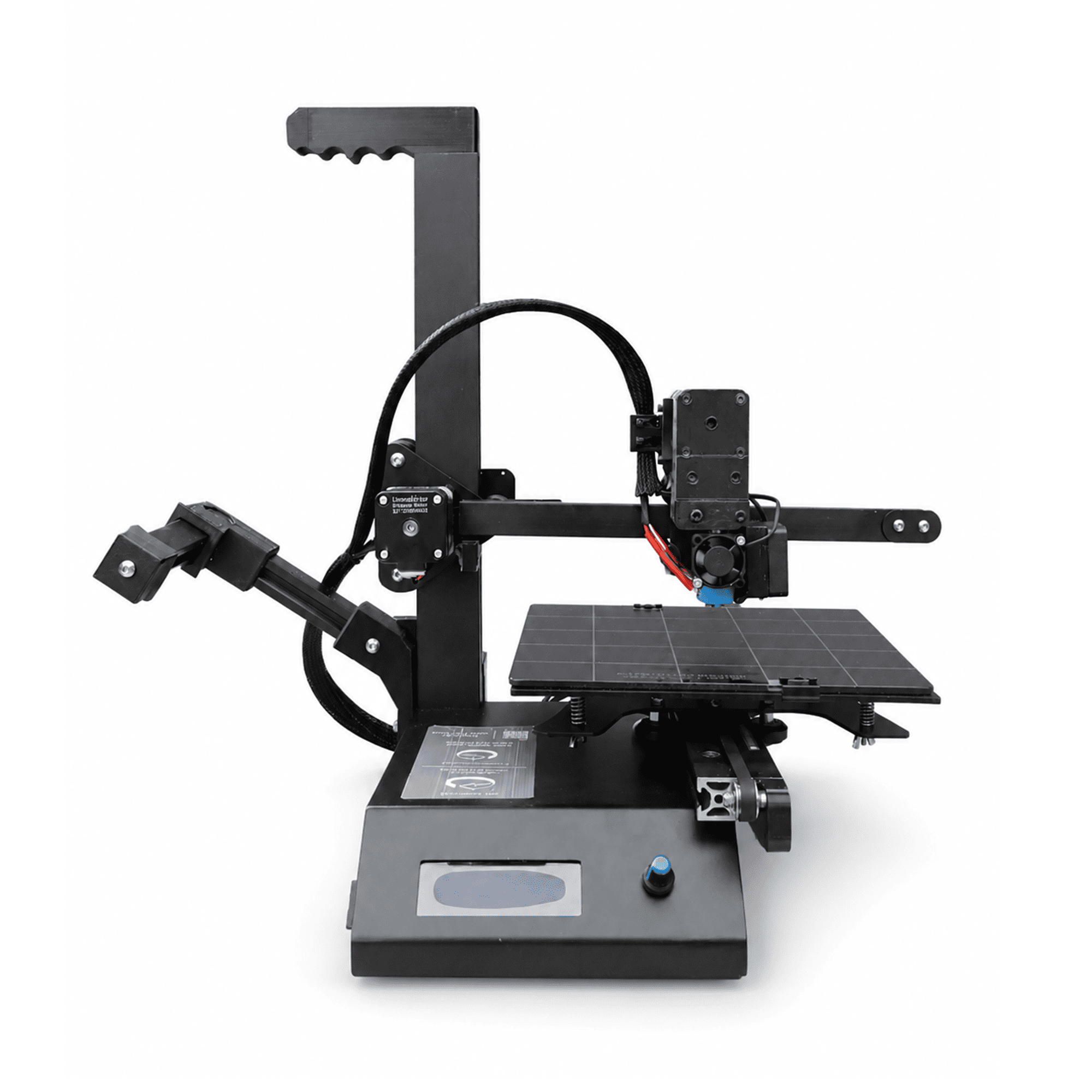
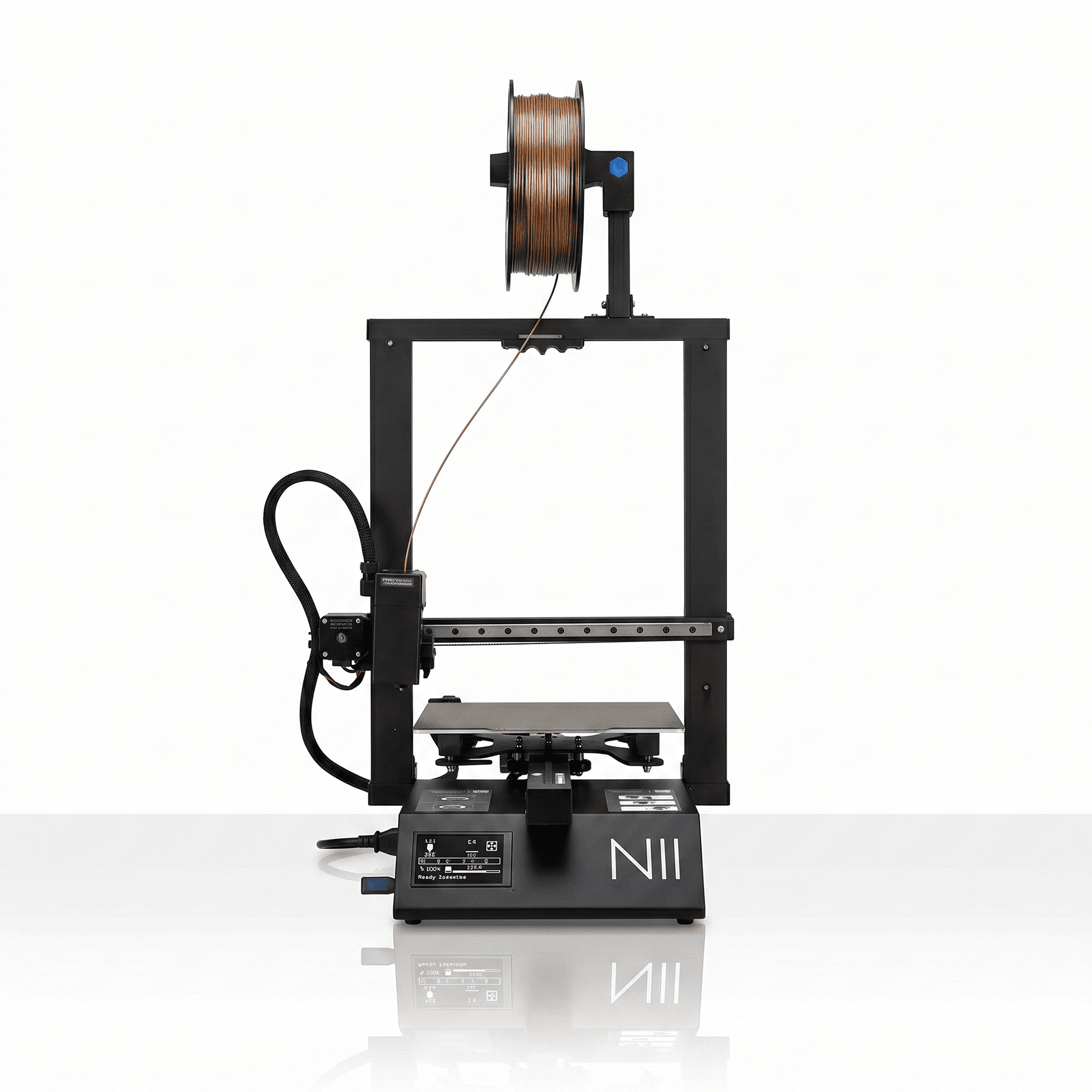
The Mini-N 3D Printer by NFIL3D is a compact desktop 3D printing solution designed for beginners, students, hobbyists, and creative makers. Combining a space-saving design with a sturdy gantry structure and printing speeds of up to 150 mm/s, this machine helps transform digital designs into physical objects with convenience and control.
With a 200 × 200 × 200 mm build volume, the Mini-N offers enough working space for educational projects, decorative models, prototypes, and everyday creative designs. Its stable frame and precision-focused printing system make it a practical choice for users who want to explore 3D printing without occupying excessive workspace.
Why Choose the Mini-N 3D Printer?
The Mini-N 3D Printer is designed to balance compact dimensions, printing performance, and ease of use.
For beginners, choosing a printer with a practical build volume and stable construction is an important starting point. The Mini-N offers a workspace suitable for learning basic printing techniques, experimenting with 3D models, and developing creative skills.
Its sturdy gantry helps maintain structural stability during printing, while the compact footprint makes it convenient for desks, creative studios, educational environments, and home workshops.
The printer is advertised with 99.8% dimensional accuracy under the brand’s specified testing conditions. Actual results depend on calibration, filament quality, model geometry, and printing settings.
Key Features of the Mini-N 3D Printer
1. Compact Design with a Spacious Build Volume
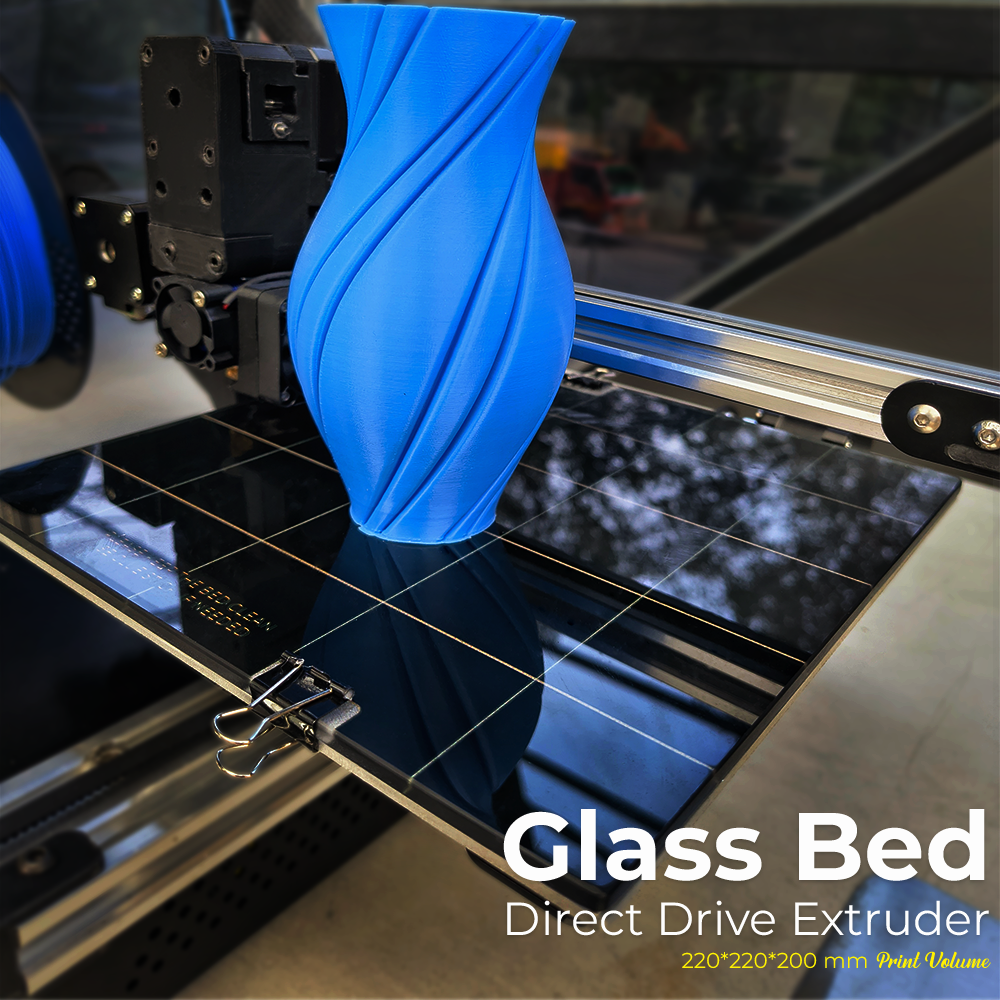
The Mini-N 3D Printer features a 200 × 200 × 200 mm printing area that provides a useful balance between compact machine size and creative freedom.
This build volume allows users to produce small and medium-sized objects, including functional accessories, miniature models, educational components, and personalized designs.
A compact printer is particularly convenient for users who have limited desk space but still want enough room to experiment with different 3D printing projects.
The Mini-N helps users make efficient use of their workspace without compromising the stated build capacity.
2. Printing Speeds Up to 150 mm/s
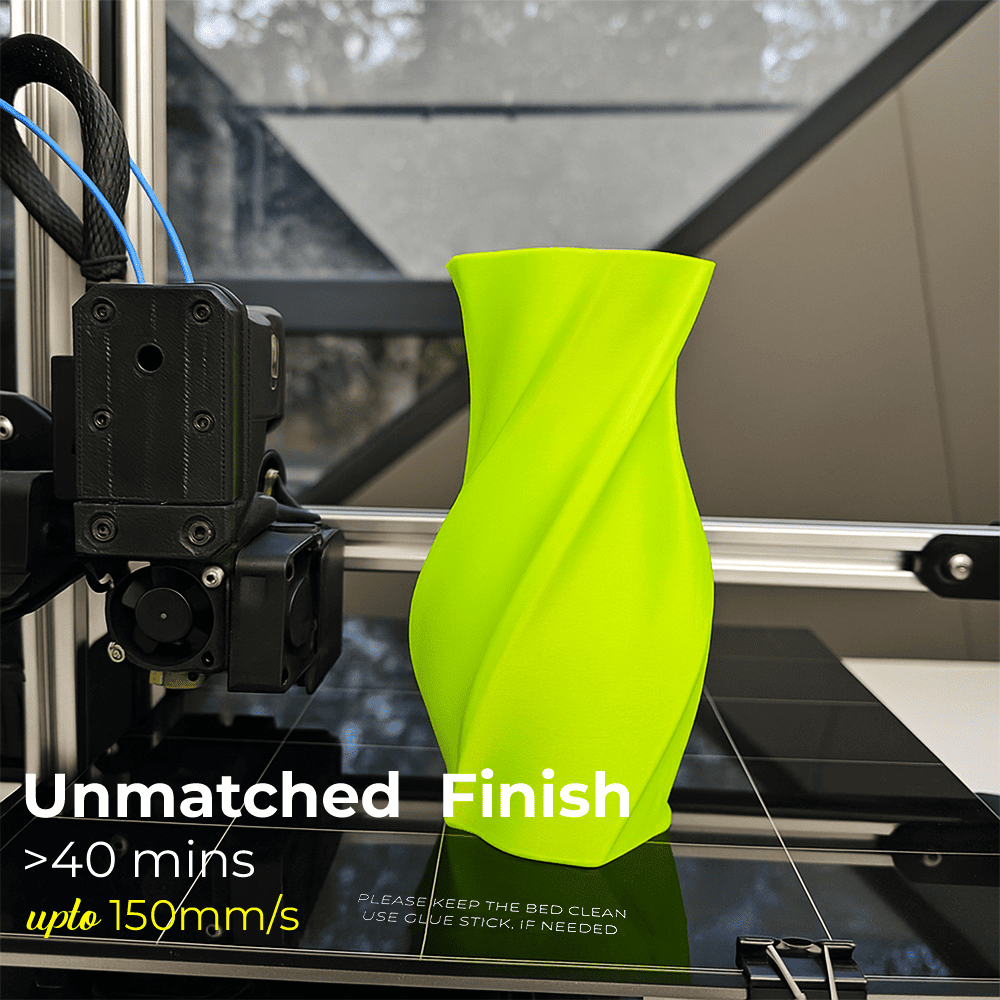
The Mini-N 3D Printer supports printing speeds of up to 150 mm/s, allowing users to select faster settings for suitable models.
Printing speed is an important factor when producing prototypes, learning projects, and repeated small objects.
Higher speeds may reduce printing time, but final results also depend on acceleration, layer height, filament characteristics, and model complexity.
For detailed decorative models, users can choose slower printing speeds to prioritize surface appearance and dimensional consistency.
This flexibility makes the printer suitable for different creative and practical requirements.
3. 99.8% Advertised Dimensional Accuracy
The Mini-N is promoted with a dimensional accuracy figure of 99.8%, reflecting the brand’s precision-focused design objective.
Accurate printing is especially important when producing models that require consistent dimensions, such as educational components, product prototypes, and interlocking parts.
Maintaining suitable nozzle temperature, bed adhesion, filament flow, and machine calibration can help improve dimensional consistency.
The claimed percentage should be interpreted according to the manufacturer’s testing method rather than as a guarantee for every model.
4. Sturdy Gantry for Stable Printing
The Mini-N 3D Printer features a sturdy gantry structure designed to support controlled movement during the printing process.
A stable frame helps reduce unwanted movement and vibration that can affect printed layers.
This becomes especially useful when printing taller objects, models with fine details, or projects that require a consistent surface finish.
Although the machine is designed to minimize vibration transfer, all mechanical printers generate some movement during operation. A firm, level surface and appropriate printing settings help maintain reliable performance.
5. Beginner-Friendly and Creative Design
The Mini-N is designed to make desktop 3D printing approachable for beginners, students, and hobbyists.
Users can begin with simple models and gradually explore more detailed designs as they gain experience with slicing software and printer settings.
Educational applications can include geometry models, mechanical demonstrations, design experiments, and STEM learning projects.
The printer’s compact construction and accessible workspace make it suitable for supervised learning activities.
As with any filament-based 3D printer, the nozzle and heated components can become extremely hot. Children must use the printer only with appropriate adult supervision.
6. Space-Saving Desktop Printing
The Mini-N 3D Printer is suitable for users who want practical printing capabilities without requiring a large dedicated work area.
Its compact footprint helps make desktop 3D printing more accessible in smaller rooms, studios, and educational spaces.
Users can place the printer on a stable workbench with suitable clearance for moving components, filament feeding, and ventilation.
This design is particularly helpful for hobbyists and creators who want to maintain an organized workspace while working on creative projects.
Applications of the Mini-N 3D Printer
The Mini-N 3D Printer supports a wide range of creative, educational, and practical applications.
Educational and STEM Projects
Students and educators can create geometric shapes, science models, engineering demonstrations, and customized learning materials.
3D printing helps connect digital design concepts with physical objects, supporting practical learning and experimentation.
Miniatures and Decorative Models
Hobbyists can produce figurines, desktop decorations, miniature structures, and personalized display objects.
Product Design and Prototyping
Designers can create early-stage prototypes to evaluate shapes, dimensions, and product concepts before further development.
DIY and Home Projects
Users can make cable organizers, desk accessories, small storage solutions, customized holders, and other practical objects within the printer’s build area.
Creative Art and Customized Designs
Artists and makers can experiment with unique sculptures, personalized products, and decorative projects using suitable 3D printing materials.
Mini-N 3D Printer Technical Specifications
| Parameter | Specification |
|---|---|
| Product Name | NFIL3D Mini-N 3D Printer |
| Printing Technology | FDM / FFF |
| Build Volume | 200 × 200 × 200 mm |
| Maximum Advertised Speed | Up to 150 mm/s |
| Advertised Dimensional Accuracy | 99.8% |
| Frame Structure | Sturdy Gantry |
| Product Design | Compact Desktop Printer |
| Intended Users | Beginners, Students, Hobbyists and Makers |
| Printing Material | Compatible FDM Filament |
| Main Applications | Educational Models, Prototypes, DIY and Creative Projects |
How to Use the Mini-N 3D Printer
The Mini-N 3D Printer creates objects by depositing heated thermoplastic filament in successive layers.
Step 1 – Select or Design a 3D Model
Create a digital model using suitable 3D modeling software or download a printable model from a trusted source.
Step 2 – Prepare the Model in Slicing Software
Import the model into compatible slicing software and configure the print orientation, layer height, infill, support structures, and printing speed.
Step 3 – Prepare the Printing Surface
Check that the printing surface is clean and properly leveled according to the printer’s operating instructions.
Step 4 – Load Suitable Filament
Select a filament supported by the printer and configure the recommended temperature settings for the material.
Step 5 – Start the Printing Process
Transfer the prepared print file using a supported method and begin the printing process. Monitor the first layers to confirm proper bed adhesion.
Step 6 – Remove the Finished Model
Allow the printed object and printing surface to cool before removing the model carefully.
For a broader understanding of filament printing technology, explore Prusa’s 3D Printing Guide.
Tips for Getting Better Print Quality
To achieve consistent results with the Mini-N 3D Printer, users should follow appropriate printing practices and maintain the machine regularly.
Start with a suitable layer height and moderate printing speed when working on detailed models. Adjust infill, wall thickness, and support settings according to the intended use of the printed object.
Good bed adhesion is essential for reducing print failures and preventing models from lifting during printing.
Keeping the build surface clean, checking filament condition, and ensuring proper gantry movement can also contribute to reliable printing performance.
Beginners should start with smaller test models before moving on to larger or more complex projects.
Explore Creative 3D Printing with NFIL3D
The Mini-N 3D Printer offers a practical combination of compact construction, useful build volume, and printing speeds of up to 150 mm/s.
Its stable gantry structure and beginner-oriented design make it a suitable option for learners, creative makers, and hobbyists exploring desktop 3D printing.
Whether you want to build educational models, decorative objects, simple prototypes, or everyday accessories, the Mini-N provides a convenient starting point for developing your 3D printing skills.
Explore more NFIL3D printers, filaments, and 3D printing solutions to discover products for your next creative project.


Reviews
There are no reviews yet.